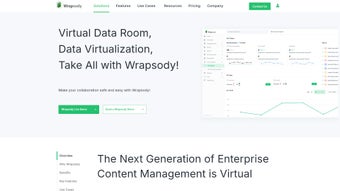

Download Wrapsody – AI‑Driven Enterprise Content Management Tool
Overview & Core Capabilities
Wrapsody is a comprehensive, AI‑driven Content Management solution built for modern enterprises that demand both agility and airtight security. By leveraging virtualization technology, Wrapsville eliminates duplicate files, assigns every document a unique Persistent ID (PID), and maintains an immutable audit trail for every interaction. This means that whether a file is renamed, copied, or moved across departments, its permissions and history travel with it, safeguarding compliance and reducing the risk of accidental data exposure.
The platform’s real‑time synchronization engine ensures that every user—whether working from a Windows workstation, a macOS laptop, an Android tablet, or an iOS device—sees the latest version of a document the moment it’s saved. Version control is granular, allowing administrators to roll back to any prior state with a single click, while the built‑in AI engine automatically identifies stale or redundant content and suggests archival or deletion. These capabilities translate into measurable productivity gains: teams spend less time hunting for the “right” file and more time collaborating on high‑value work.
Security is woven into the fabric of Wrapsody. Document‑level permissions persist across the entire lifecycle, and the system logs every read, write, share, and export action in tamper‑proof usage logs. This makes Wrapsody an ideal fit for regulated industries—finance, healthcare, legal—where auditability and traceability are non‑negotiable. The platform also offers visual mapping tools that render document derivation trees, giving managers an at‑a‑glance view of how information propagates through the organization.
In short, Wrapsody blends AI‑powered intelligence with enterprise‑grade governance, delivering a secure, collaborative, and highly efficient environment for managing the full spectrum of corporate content.
AI‑Driven Features & Security
- Persistent IDs (PID) for every document – Guarantees unique identification, eliminating duplication and enabling precise tracking.
- Real‑time synchronization across Windows, macOS, Android, and iOS devices.
- AI‑based duplicate & redundancy detection – Automatically flags obsolete files and suggests archiving.
- Intelligent backup & instant recovery – One‑click restore of any version, even after accidental deletion.
- Document‑level permission inheritance – Permissions stay attached when files are renamed, copied, or moved.
- Comprehensive audit logs – Tracks reads, edits, shares, and exports for full compliance reporting.
- Version control with branch management – Create, compare, and merge document branches without data loss.
- Visual derivation mapping – Interactive graphs that illustrate document lineage and modification paths.
- AI‑powered data lifecycle management – Automatic classification of records, retention scheduling, and secure disposal.
- Integration APIs – Seamless connectivity with Microsoft 365, Google Workspace, Slack, and major ERP systems.
Beyond the checklist, Wrapsody’s AI engine continuously learns from user behavior. By analyzing access patterns, the system can proactively recommend the most relevant files to a user the moment they open a project, cutting down on search time. The AI also monitors security anomalies—such as a sudden spike in export activity from a single user—and triggers real‑time alerts to administrators, reinforcing the platform’s defense‑in‑depth posture.
Security isn’t an afterthought; it’s embedded at every layer. Encryption is applied both at rest (AES‑256) and in transit (TLS 1.3). Multi‑factor authentication (MFA) and single‑sign‑on (SSO) integration with SAML 2.0 or OpenID Connect further tighten access controls. For organizations with strict data residency requirements, Wrapsody offers on‑premise deployment options alongside its cloud‑native SaaS model, ensuring that data never leaves the designated geographic zone.
Overall, the feature set is designed to address the full lifecycle of enterprise content—from creation and collaboration to governance, archival, and eventual disposal—while keeping security and compliance front‑and‑center.
Installation, Usage & Compatibility
Getting started with Wrapsody is straightforward, whether you opt for the cloud SaaS edition or the on‑premise appliance. After registering for a free trial on the official website, you’ll receive a personalized download link and an installation key. The installer is a single executable for Windows (‑msi) and macOS (‑dmg) that guides you through a wizard‑style setup. For Linux‑based servers, a Docker image is available, allowing rapid deployment in containerized environments.
During installation, the wizard prompts you to define your organization’s topology: you can import existing Active Directory or Azure AD groups, map network shares for legacy data migration, and set baseline retention policies. The AI engine runs an initial scan to assign PIDs to all ingested documents, automatically flagging duplicates for review. This “smart onboarding” phase typically completes within a few hours for medium‑sized enterprises (up to 10 TB of data).
Once the platform is up, users access Wrapsody through a responsive web portal or native desktop clients. The UI follows a familiar file‑explorer paradigm, with drag‑and‑drop support, breadcrumb navigation, and contextual right‑click menus for versioning, sharing, or applying permissions. Mobile apps for Android and iOS provide offline access; changes made offline sync automatically once the device reconnects to the internet.
Supported operating systems: Windows 10/11 (64‑bit), macOS 12+ (Intel & Apple Silicon), Linux distributions via Docker, Android 9+, iOS 13+. The platform also offers RESTful APIs for custom integrations, allowing developers to embed Wrapsody’s functionality directly into internal tools or third‑party applications.
For ongoing maintenance, Wrapsody releases monthly patches that address security vulnerabilities, introduce new AI models, and expand integration libraries. The update process is automated: administrators can schedule silent rollouts during off‑peak hours, ensuring that the user experience remains uninterrupted. Comprehensive documentation, video tutorials, and a dedicated support portal are available 24/7, making it easy for IT teams to troubleshoot and optimize the deployment.
Pros & Cons
Pros
- AI‑driven duplicate detection and automated lifecycle management save storage costs.
- Persistent IDs ensure flawless tracking across renames, copies, and moves.
- Real‑time sync and cross‑platform support enable seamless collaboration.
- Granular, document‑level permissions stay attached throughout the file’s lifecycle.
- Robust audit logs and visual derivation maps simplify compliance reporting.
- Flexible deployment options (cloud SaaS, on‑premise, Docker) suit varied IT strategies.
- Extensive API ecosystem integrates with major productivity suites.
Cons
- Initial AI scanning can be resource‑intensive for very large legacy repositories.
- Pricing tier for enterprise‑level features is on the higher side for small businesses.
- Learning curve for administrators unfamiliar with PID‑based governance.
- Mobile apps, while functional, lack some advanced metadata editing features present in desktop clients.
FAQ & Conclusion
Is Wrapsody a free tool or does it require a subscription?
Wrapsody offers a 30‑day free trial with full feature access. After the trial, a subscription model is required, with pricing based on the number of users and storage volume. Enterprise plans include on‑premise licensing options.
Can Wrapsody integrate with Microsoft 365 and Google Workspace?
Yes. Wrapsody provides native connectors for both Microsoft 365 and Google Workspace, allowing you to sync files, permissions, and metadata directly between the platforms.
How does the AI engine handle sensitive data?
The AI runs in a secure sandbox and respects all encryption at rest and in transit. Sensitive data classification rules can be customized, and the engine will never move or expose confidential files without explicit admin approval.
What backup and recovery options are available?
Wrapsody performs continuous incremental backups to the chosen storage tier (cloud or on‑premise). Recovery can be performed at the file, version, or entire repository level with a single click.
Is there a mobile app for iOS and Android?
Yes. Dedicated iOS and Android apps provide offline access, real‑time sync, and secure sharing capabilities. The apps are regularly updated to align with the desktop feature set.
Wrapsody stands out as a forward‑thinking ECM platform that combines AI intelligence with iron‑clad security. For enterprises looking to eradicate duplicate data, enforce granular permissions, and gain real‑time visibility into document lifecycles, Wrapsody delivers a compelling value proposition. Its cross‑platform compatibility, robust audit capabilities, and flexible deployment models make it suitable for organizations of all sizes—from fast‑growing startups to regulated multinational corporations.
If you’re ready to modernize your content management strategy, download Wrapsody today and experience a secure, AI‑enhanced workspace that scales with your business.






